Event access
Event access decides which people can open an event and what they can do. The overview starts with people; reusable roles and individual permissions remain available as advanced configuration.
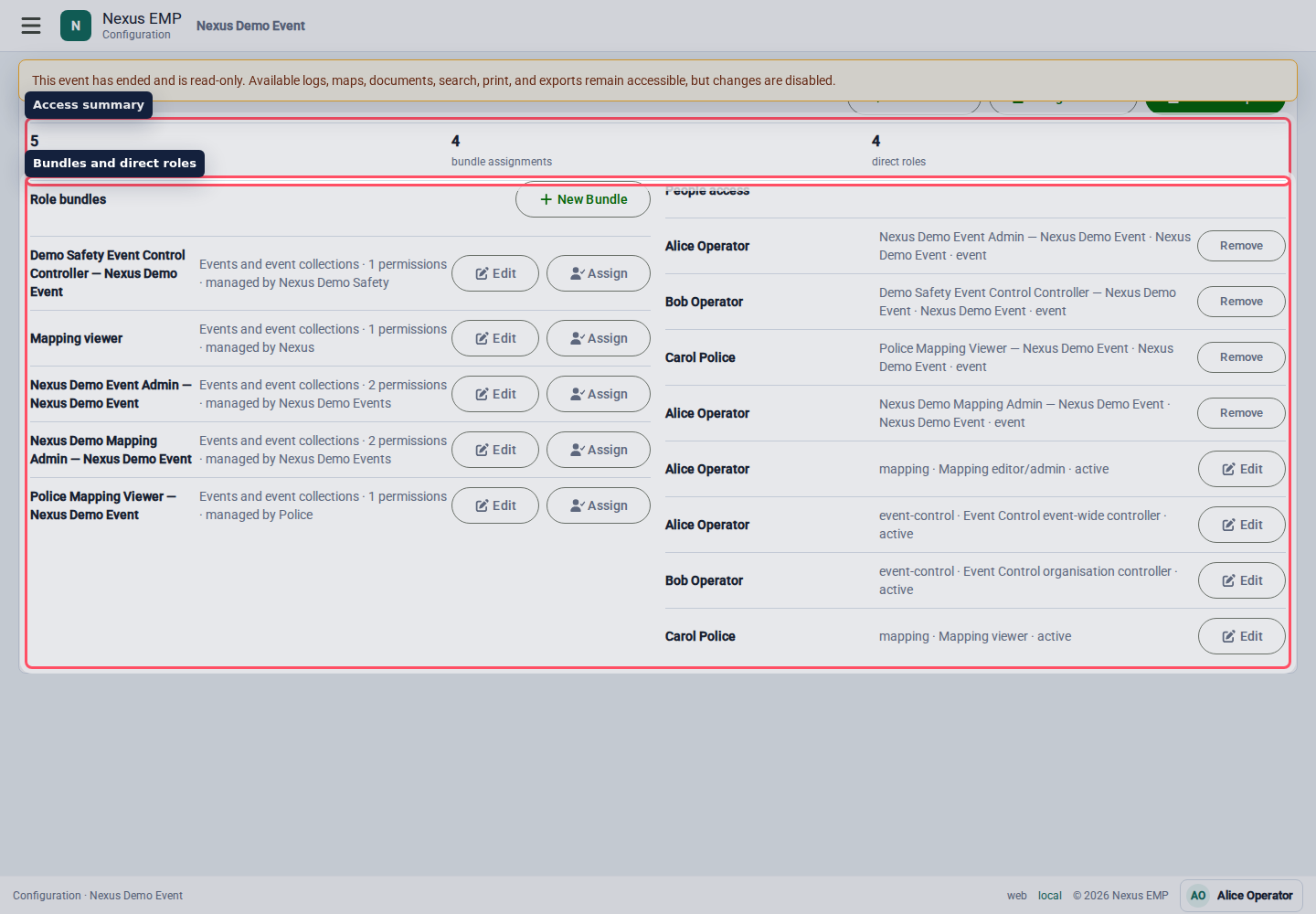
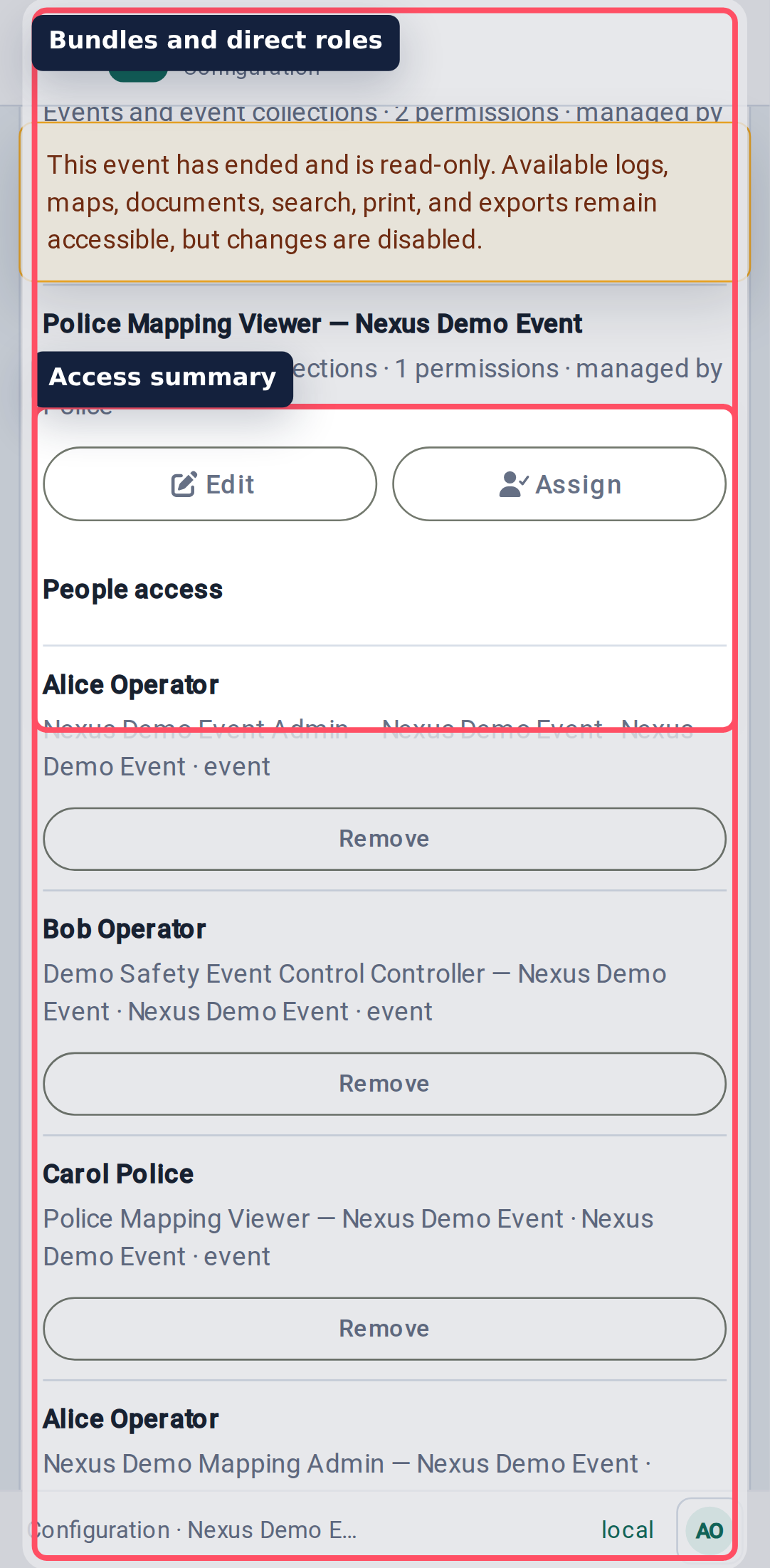
Give an existing person access
Select Give Existing Person Access, search by name or email, and choose a role such as Event Administrator, Mapping Viewer, or another configured event role. Search results are loaded from the server in limited pages rather than placing every Nexus user in one dropdown.
For one event, choose Representing at this event as well as the role. Pick a participating company, or Individual guest when the person is attending in their own capacity. This creates event affiliation without making them a company member. The same person can have another assignment for a different company at the same event, with different roles.
Existing direct guest access is retained as Individual guest, backed by the person's personal organisation. Personal organisations stay out of the event's participating-company list and automatic agency mappings. A personal-organisation administrator does not become an event administrator through that membership.
Choose event-collection scope only when that wider access is intentional. Collection guest roles use individual affiliation in each event; they do not make someone represent a company throughout the collection. Add a separate company assignment in each event where operational representation is needed.
Use Module-specific Role when a person from a participating organisation needs one operational module assignment. That picker searches active memberships from eligible organisations, because the assignment belongs to the person in that organisation.
Invite existing or new people
Select Invite People when you have an email address but do not know whether the person already has Nexus access. The same flow handles existing accounts and new users without creating duplicate identities.
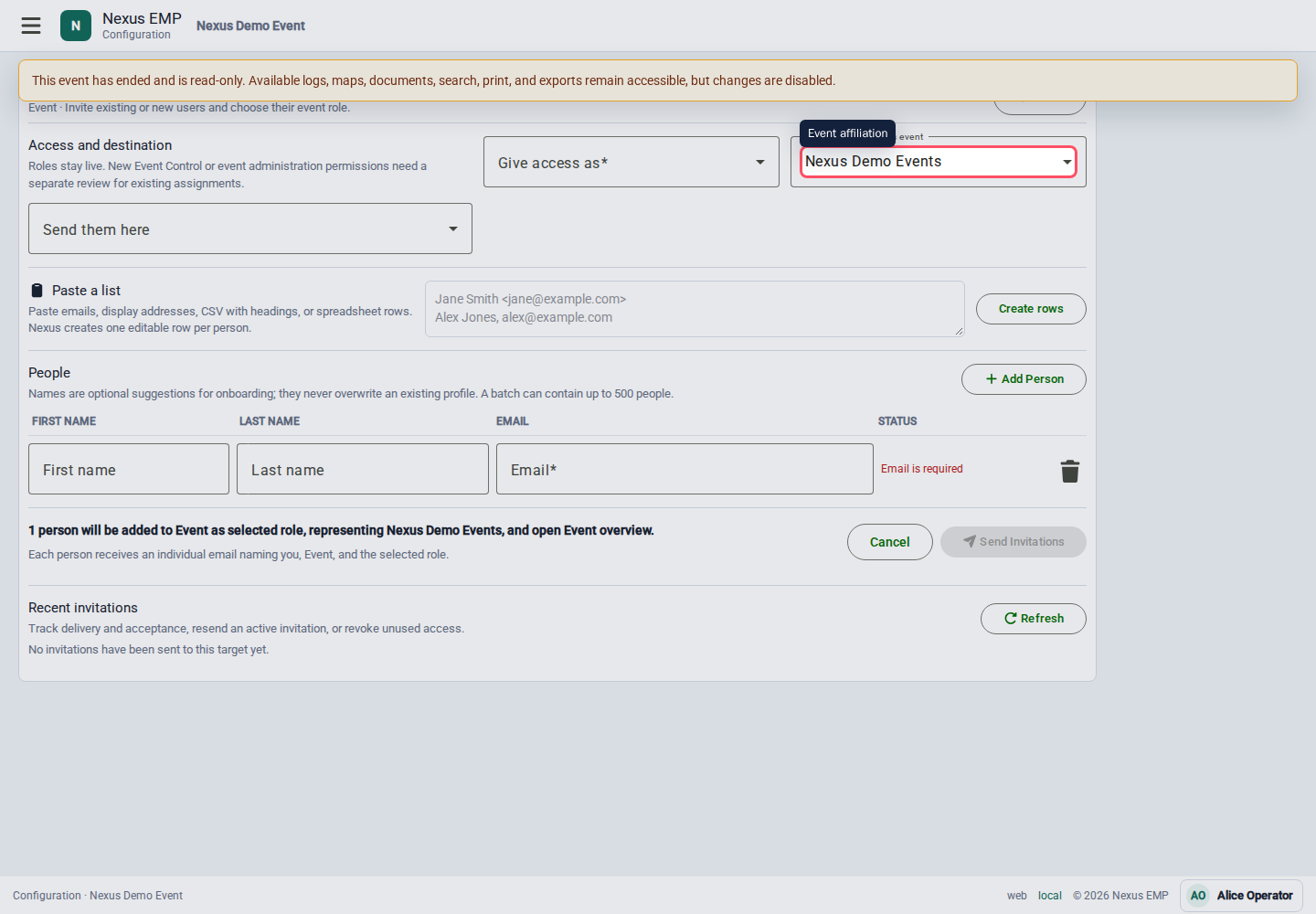
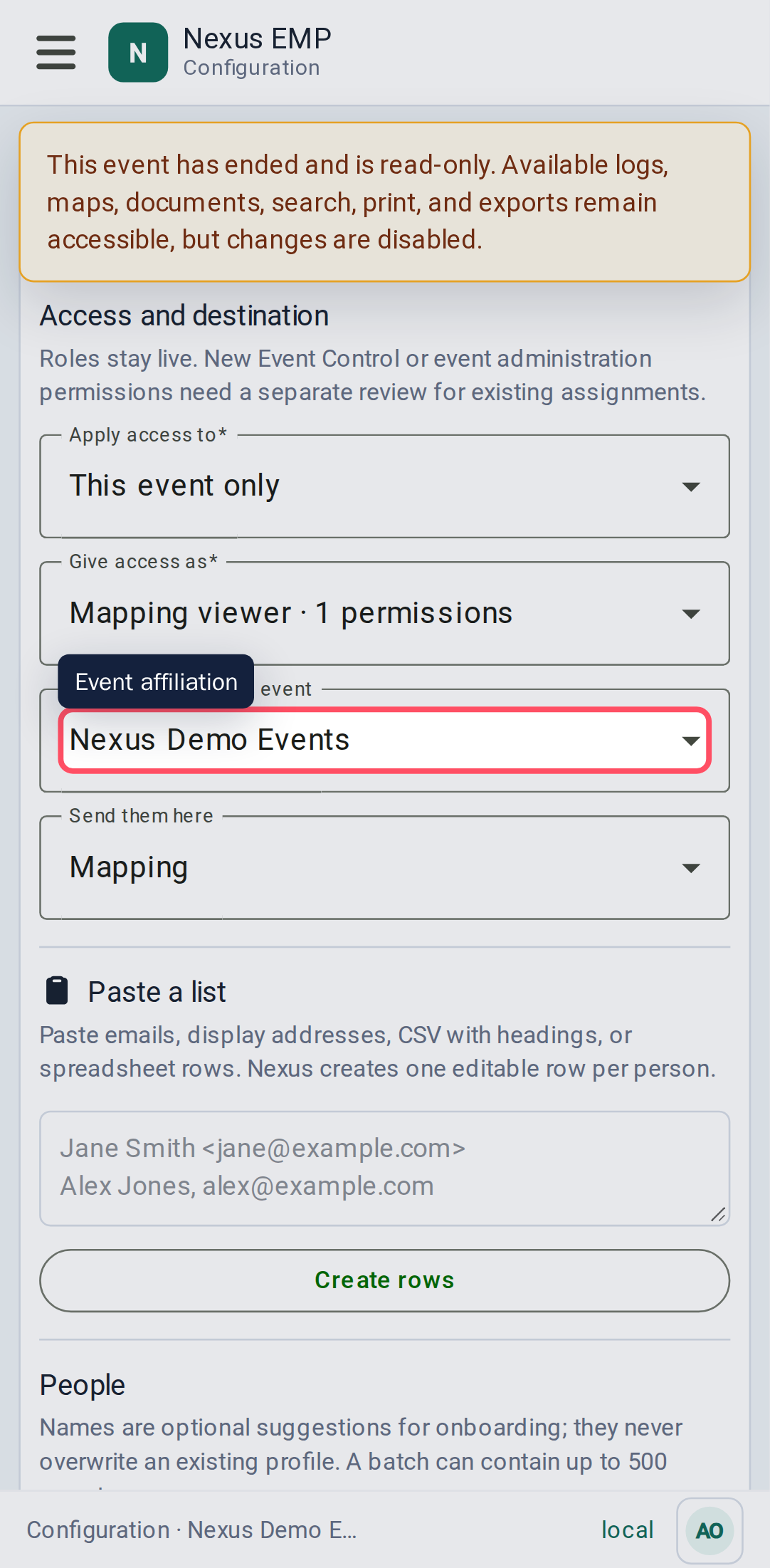
- Choose Give access as. Nexus grants the selected named role, not a frozen copy of individual permissions.
- When the event belongs to a collection and you administer its owner organisation, choose Apply access to: This event only or the entire event collection. Collection access includes events in child collections.
- For an event invitation, check Representing at this event. Nexus suggests the organisation that supplies your event administration access when there is exactly one. Choose explicitly if several organisations could apply. Individual guest is also available.
- Choose Send them here. For Mapping viewer, choose Mapping so the recipient reaches the map after onboarding.
- Add one editable row per person. First and last names are optional. One batch can contain up to 500 people.
- To add a list quickly, paste email addresses, display addresses, CSV, or spreadsheet rows into Paste a list. Nexus expands the paste into individual rows and suggests names where it can.
- Correct any invalid or duplicate rows, review the summary, then select Send Invitations.
Each recipient receives an individual email naming the administrator, event, and role. The first valid use of Accept invitation signs the recipient in with the invited email and claims only that invitation. An existing account receives the new event access; a new or incomplete account confirms its name before the selected workspace appears. Nexus then offers passkey setup; the recipient may skip it and continue using email sign-in.
An event or collection invitation creates guest access at that exact scope. It does not silently add the recipient to the event owner's organisation. A collection invitation still uses the event from which you opened Invite People as its concrete Mapping destination. Later changes to the role bundle apply to active grants, so adding Documents viewer to a customer bundle also updates the people already using that bundle.
Reusing an accepted link, or opening it after its one-click sign-in window has expired, requires normal email or passkey sign-in. Invalid, revoked, or expired invitations do not create access.
Recent invitations on the same screen shows current delivery and acceptance state and refreshes while delivery is still in progress. Use Refresh at any time, and Load more invitations to work through older batches. Use Resend for an active pending invitation. Use Revoke to make an unused link invalid and cancel queued delivery. Once accepted, the invitation has become a role grant; remove that grant from the event access overview. Resends are at least one minute apart and limited to ten per invitation. They do not reopen a one-click sign-in that was already used or expired; that recipient verifies normally by email or passkey.
Historic events remain readable, so an Event Admin can still invite a read-only bundle such as Mapping viewer after the event ends. Other event-configuration changes remain blocked unless historic writes were explicitly enabled.
Advanced: reusable roles
Event Control agency access
Event Control checks both the person's role and the agencies whose logs they may access. An Event Administrator or event-wide controller can access all logs in the event. An organisation-scoped controller can access only logs routed to their effective agencies.
An event invitation can give an organisation-scoped controller role to someone representing a participating company, including a freelancer who is not a permanent company member. Configure that company's automatic agency mappings in Event Control settings. The person then receives only the agency scope provided by that assignment.
For example, someone can represent a security company as an Agency Controller and a trader as a Mapping Viewer at the same show. They receive Mapping access and Security's authorised logs together, with no company switch. Security's controller role never combines with the trader's agency mappings. If the trader also grants controller access, both authorised agency sets become available. Removing a role only removes the access supplied by that role.
An Individual guest has no automatic company agency access. An event-wide controller role still provides its explicitly granted event-wide scope. Do not use it as a workaround for missing company or agency setup.
Existing organisation membership and advanced module/agency assignments remain supported. Their permissions stay associated with the organisation that supplied them. The agency settings people count includes people eligible through direct event assignments and counts each person once, even if several assignments apply.
Review new operational permissions
Role edits continue to update ordinary module permissions. Adding Event Administrator or Event Control permissions to a role does not automatically activate those permissions for everyone who already has it. The people list shows the permissions awaiting review. Check the person, event organisation and listed permissions, then select Approve listed permissions for that grant. If the role changed while you were reviewing it, reload and review its new state. New grants approve the role's current permissions when the administrator gives access. An invitation approves only the operational permissions present when it was sent, even if the person accepts after the role changes. Reopening an accepted invitation does not approve later additions.
Removing one role grant preserves the person's other grants, including grants for another company at the same event. Removing a participating company also ends direct assignments' ability to represent that company at this event.
Role ownership and scope
Reusable roles group permissions into a name people can understand. Use them when several people need the same access or an organisation needs to maintain a repeatable event role.
Role ownership and assignment domain are separate:
- a Nexus role is maintained centrally;
- an Organisation role can be maintained and reused by that organisation;
- an Event role belongs only to one event; and
- the role is assignable to either organisations or events, never both.
The access page only offers permissions from the chosen domain. For example, an organisation-admin permission cannot be placed in an Event role, because it would have no effect at event scope. Event roles can be granted to one event or an event collection; collection grants cover events in that collection and its child collections.
After the scoped-access upgrade, a legacy bundle whose Event permissions had no event or collection target appears as an inactive bundle ending Unscoped event permissions. It grants no access. Review its permissions, then either keep it inactive, remove it, or activate and grant it explicitly at the intended event or collection.
When you create a bundle from an event, This event is the default manager. Choose Organisation when an authorised organisation should maintain and reuse that bundle across events. Organisation managers can delegate only module-scoped Event bundles to their own organisation's members at events in which the organisation participates; collection-wide grants need organisation administration.
Start by choosing a named role for a person. Open reusable-role configuration only when the existing names do not express a genuine repeated job.
Use module-specific roles for exceptions
Module-specific roles are for one-off cases. For example, a single person from a partner organisation might need Mapping Viewer without receiving a broader event role.
Use them sparingly. If you assign the same module-specific role repeatedly, create or update a reusable role instead.
Event, collection, and platform scope
An Event role can be granted to one event or an event collection. This is one event-access domain with two possible targets, not two bundle types.
- Event scope is safest for live show access.
- Collection scope works when a series genuinely shares the same access model.
- Platform Admin is an administrative capability, not a bundle scope.
Platform Admin can see and change more than a normal Configure user. Add a clear reason when the UI asks for one, and avoid using platform scope as a shortcut for event setup.